
Track customer credit and get paid on time
Jotbello shows who owes you, how much and since when. Set credit limits, check payment proof before it counts, and send a polite WhatsApp reminder in one tap.
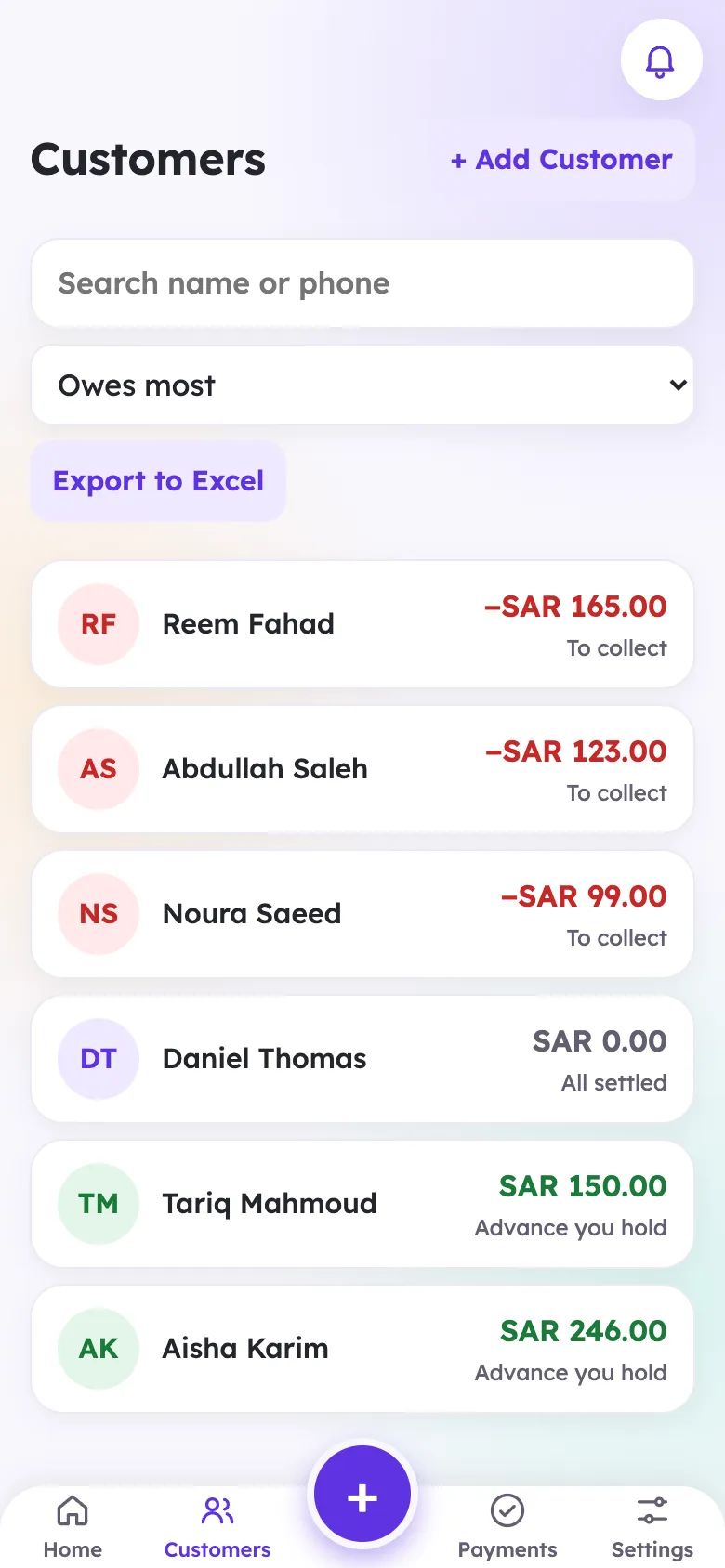
Every customer’s balance, always up to date
Your customer list shows each balance in red (they owe you) or green (you hold their advance). Sort by Owes most or Longest without paying to know who to remind first.
- Aging: how much has been owed for 0–30, 31–60, 61–90 and over 90 days
- Average days to pay, per customer
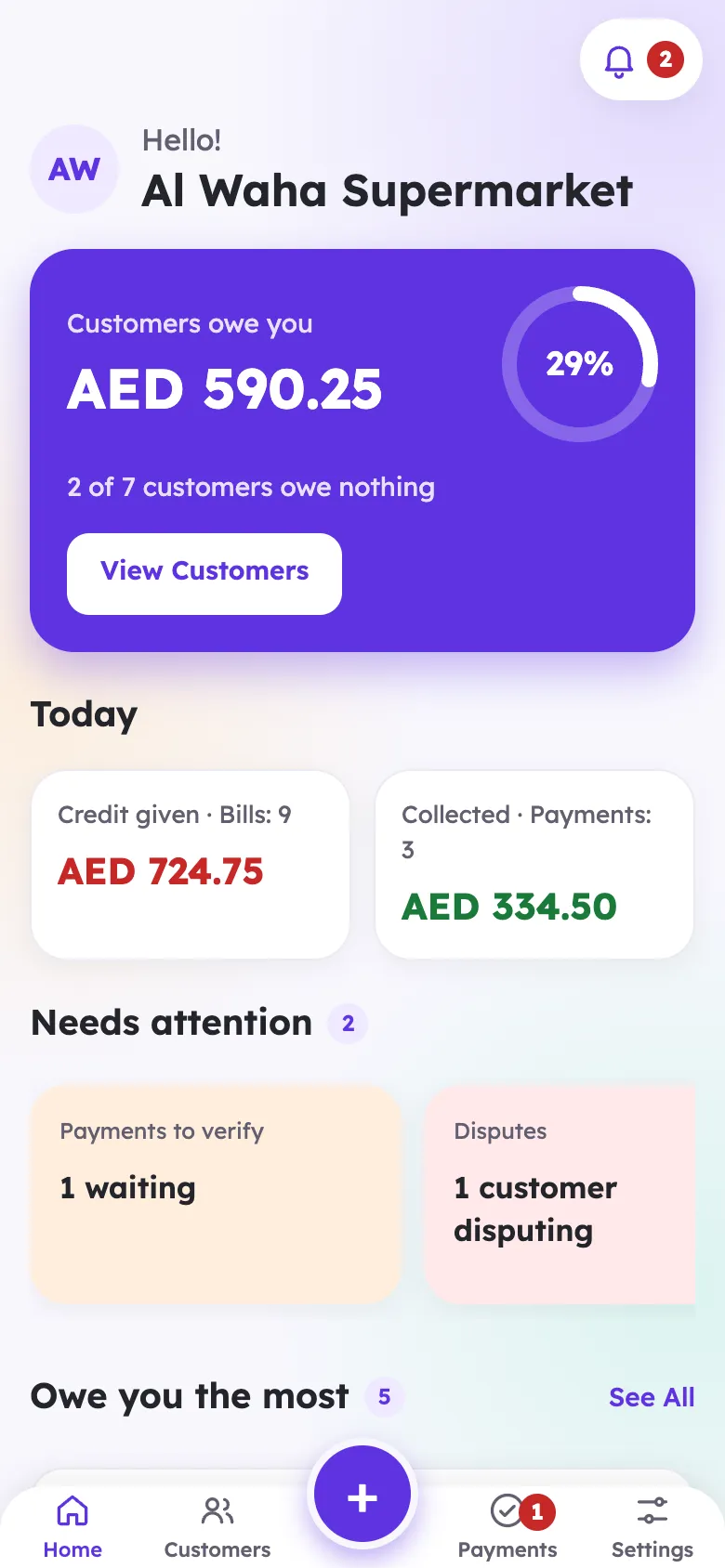
- Home screen totals: owed to you, given today, collected today
Reminders that keep customers friendly
Tap Send Reminder and WhatsApp opens with a polite message and a link where the customer sees every bill. You choose when to send. Send Statement shares the full account.
- The customer sees the same numbers you do, so reminders don’t turn into arguments
- Low wallet alert: customers can be told when their advance runs low
- Customers get a push or email for every new bill
Payments that count only when you say so
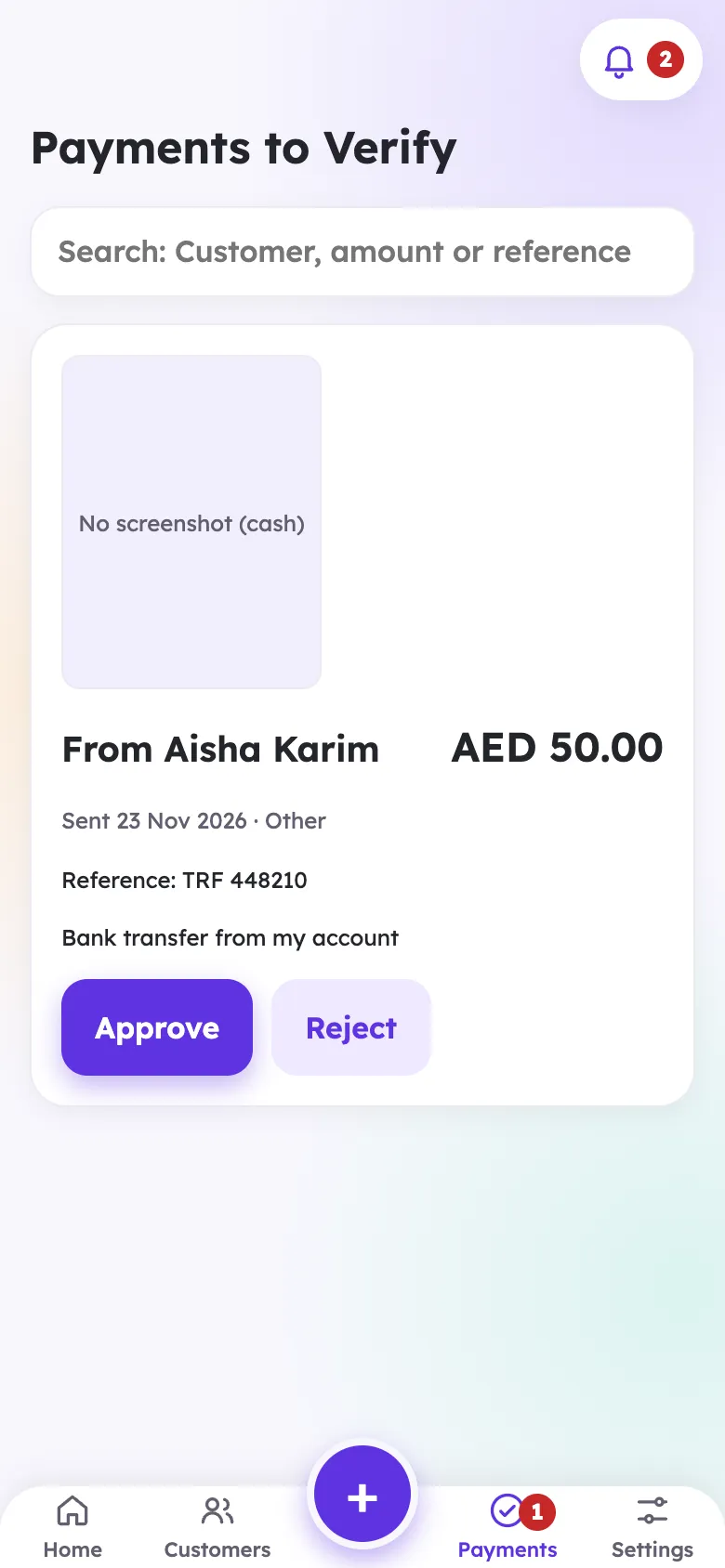
Customers pay their usual way and upload a screenshot with the reference number. It waits in Payments to verify until you approve or reject it.
Know when to stop giving credit
Set a credit limit per customer. Jotbello shows how much more you can give, warns you near the limit and turns red when it is crossed. It never blocks a sale: you decide.
Advances work too
Regulars can pay ahead. Record a wallet top-up; new bills are taken from it first, and the customer sees what is left.
Jotbello is a record book. It shows what the shop and the customer agreed. Jotbello does not hold, send or move money, and it is not a bank or a lender.
Frequently asked questions
How do I track customer credit on my phone?
Add each customer once, then add a bill every time they take goods without paying, and record each payment when money comes in. Jotbello keeps one running balance per customer and shows who owes the most and who hasn’t paid for longest. Step-by-step guide.
Can Jotbello send payment reminders on WhatsApp?
Yes. Tap Send Reminder on a customer’s page and Jotbello opens WhatsApp with a polite message and a link to their account, ready for you to send. You need the customer’s mobile number. Jotbello never sends messages without you tapping send.
Can I set a credit limit for a customer?
Yes. Set how much a customer may owe. Jotbello shows “Can give … more” and turns amber near the limit and red over it. It is a warning only: it never blocks a sale. You can choose whether the customer sees the limit.
What is an udhaar app?
“Udhaar” is the Hindi and Urdu word for goods or money given on credit, to be paid later. An udhaar app is a digital udhaar khata: it records what each customer owes. Jotbello is one, with the extra step that the customer sees and confirms the record too.
Can I keep an advance for a customer?
Yes. Each customer has one wallet with your shop. Green means you hold their advance, red means they owe you. New bills are taken from the advance first.
What if a customer says a bill is wrong?
The customer taps Dispute and writes why. You see it on your home screen and answer it: keep the entry with a note, or cancel it. Both of you see the reason and the answer.
How do customers pay me?
The same way as today: cash, bank transfer, or UPI in India. You list how you accept money. When a customer sends money, they can upload the payment screenshot; their balance changes only after you check it and tap Approve.
Related guides
Start tracking customer credit today
Free at launch. Add your first customer in under a minute, on your phone or computer.
- No card needed
- English, العربية and हिन्दी
- Works on any phone or computer