
Know who owes you, without opening the notebook
Jotbello is a shop management app for the credit side of your business. It keeps every customer’s bills, payments and advances in one place, adds them up for you, and shows the customer the same record.
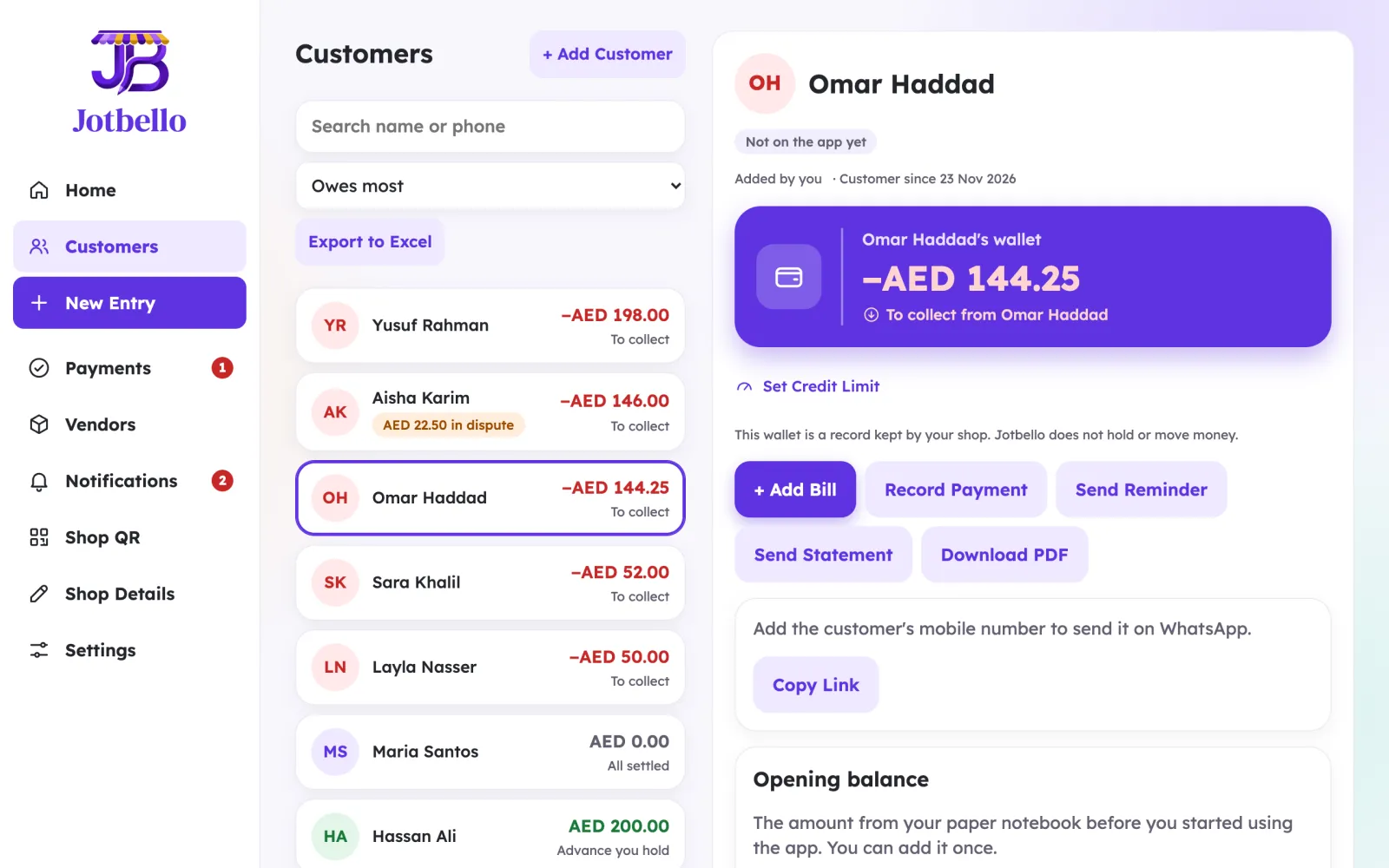
Your whole shop on one screen
The first thing you see is how much customers owe you in total, what you gave and collected today, and anything that needs you.
- Today: credit given and money collected, by your shop’s clock
- Needs attention: payments to check and open disputes
- Owe you the most: who to remind first
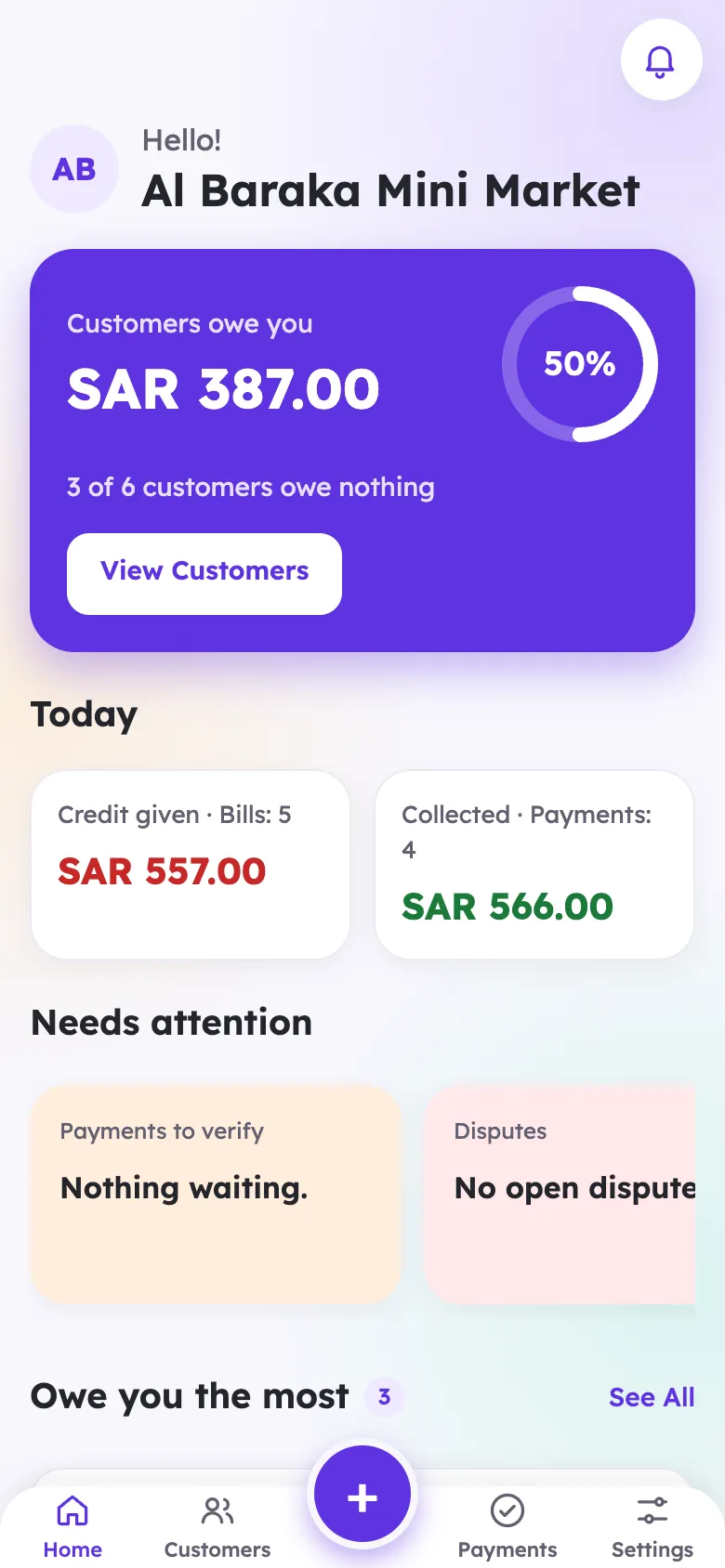
A bill in seconds, your way
Busy counter? Choose Quick: snap the printed bill and type the total. Want details? Choose Itemized and type each item, quantity and price.
- Note who collected the goods (“Driver”, “House help”)
- Warns you if a bill number was already used
- Receipt photos are made small so they upload fast
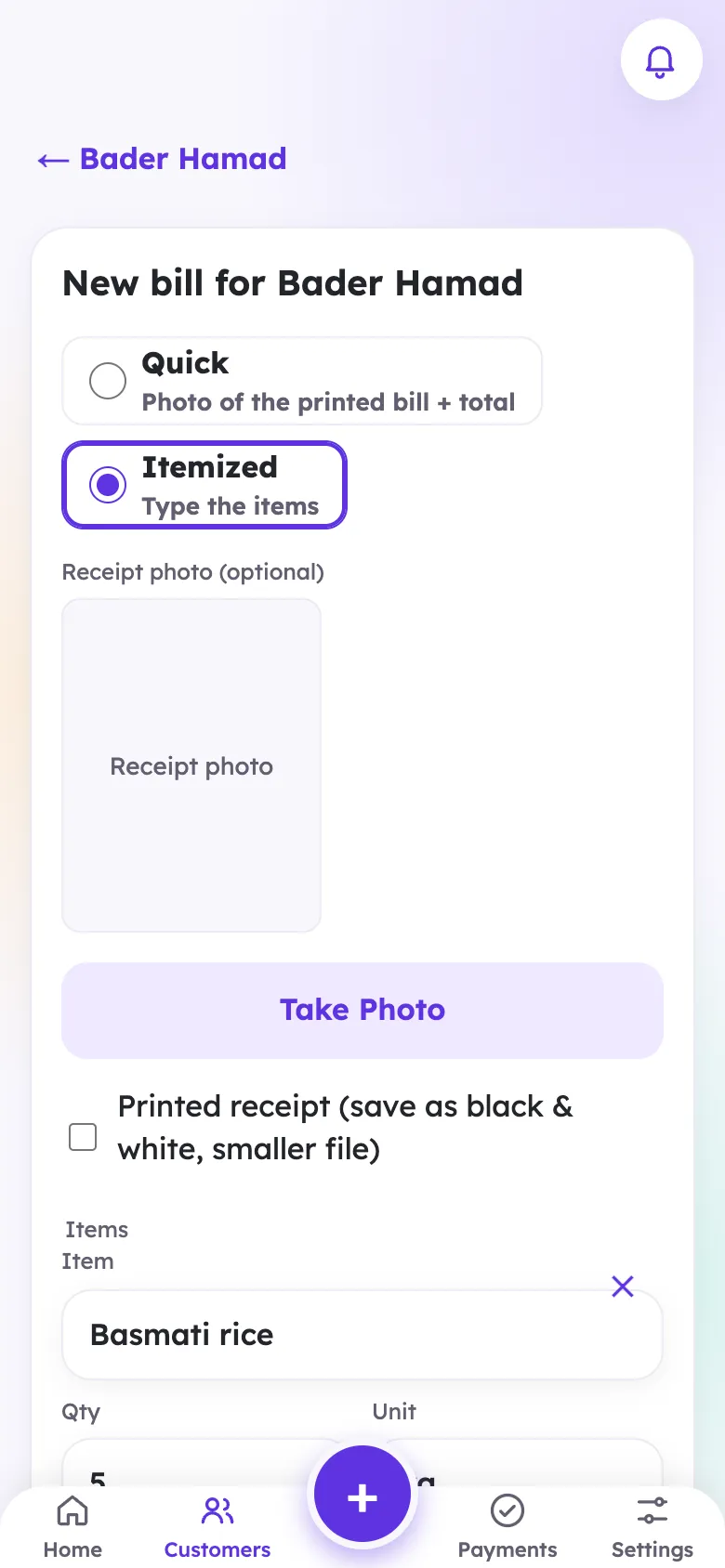
Find anyone in a moment
Search by name or phone, even typed in Arabic or Hindi digits. Sort by who owes most, who hasn’t paid for longest, or recent activity.
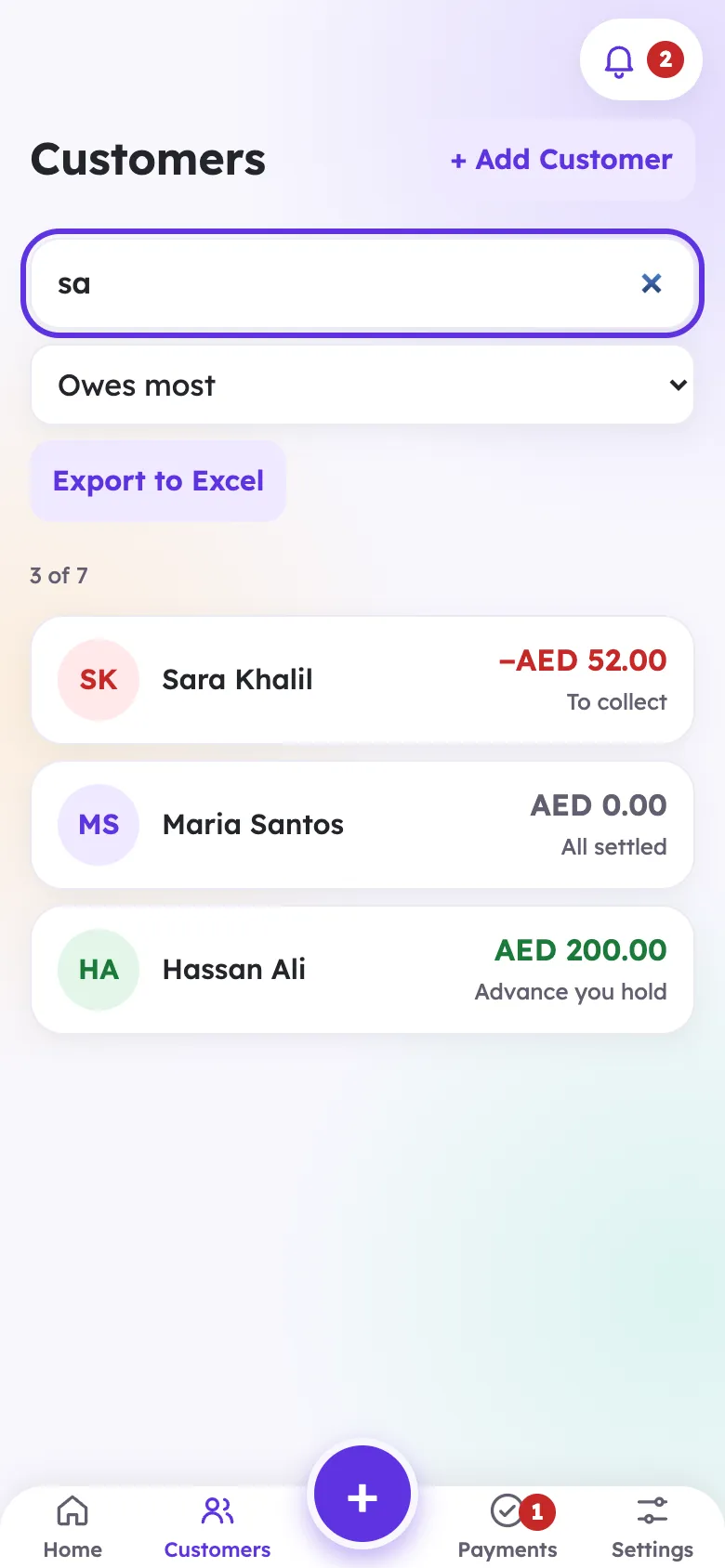
- Red means they owe you, green means you hold their advance
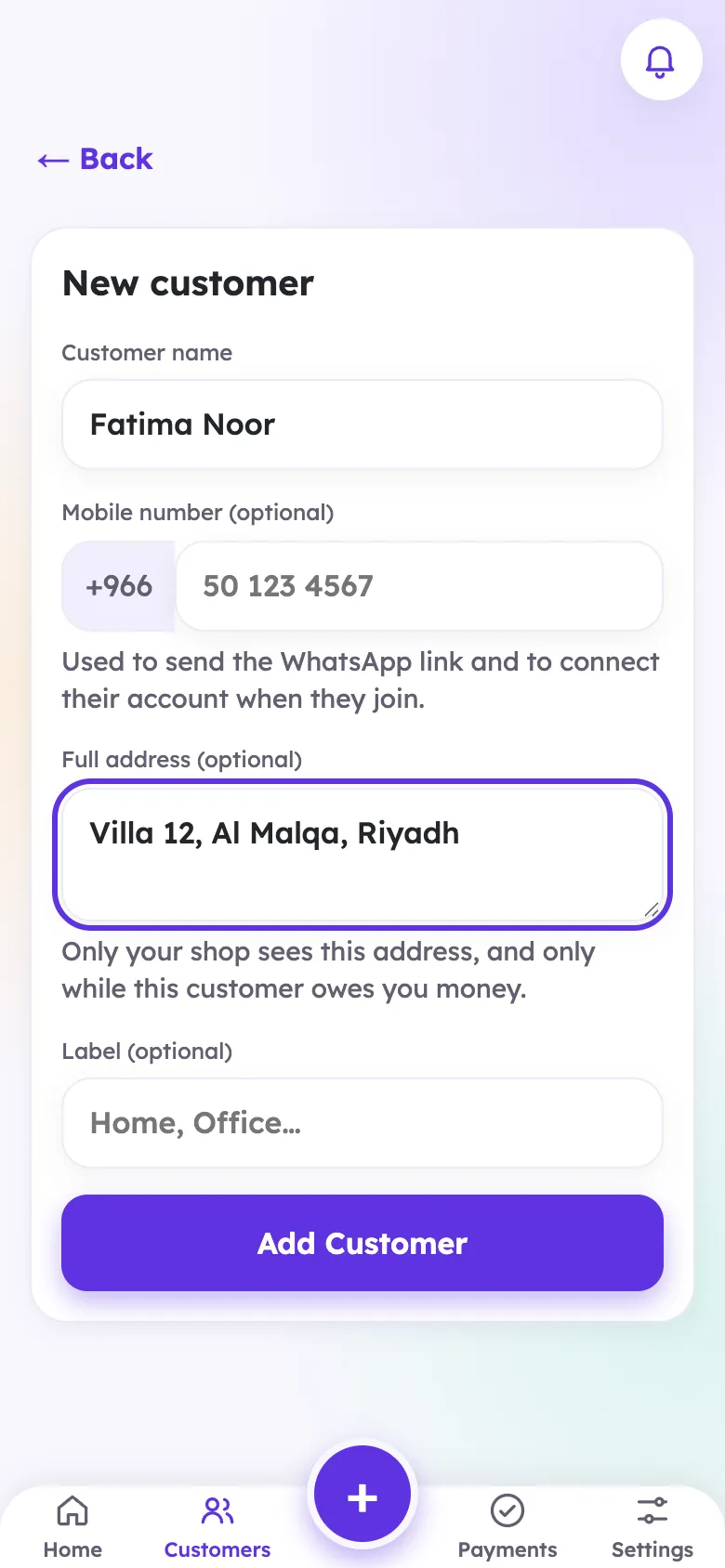
- Customers don’t need the app; add them by name
- Bring over old dues once as an opening balance
Payments you can check
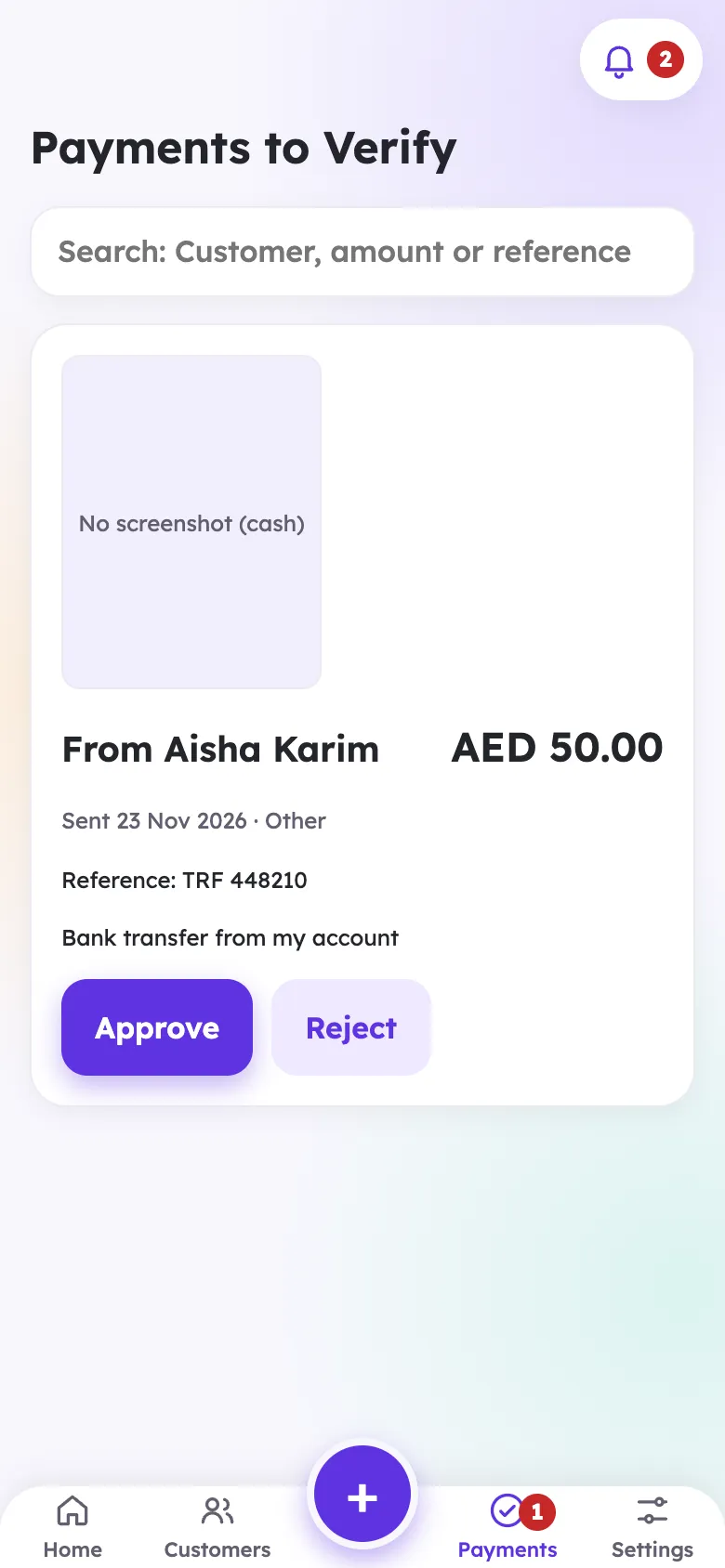
Record cash or bank payments yourself, or let the customer send a payment screenshot. Their balance changes only after you tap Approve.
- Advances: keep money ahead for regular customers
- Set a credit limit and see how much more you can give
- Low wallet alert for customers, if you switch it on
Customers join with one scan
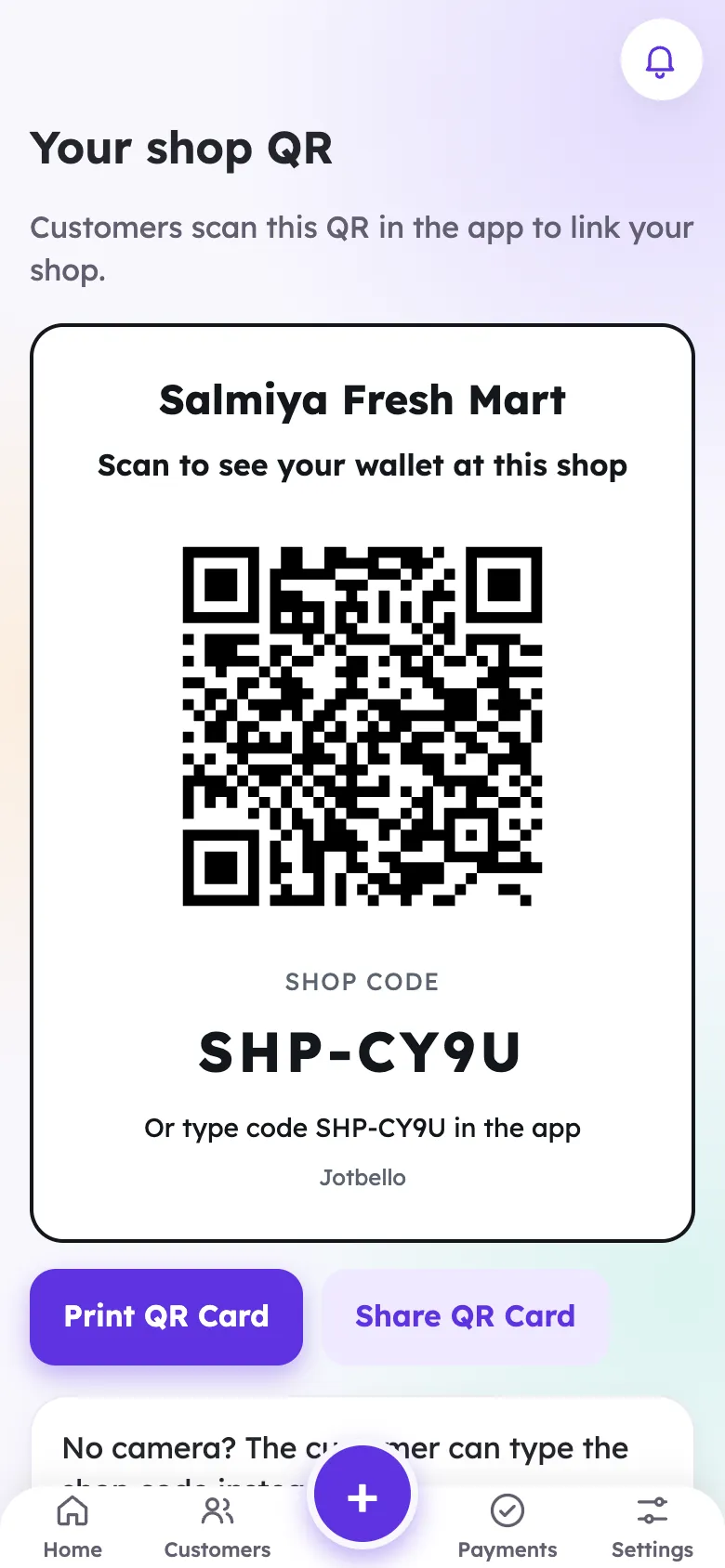
Print your shop QR card for the counter. Customers scan it, or type your short shop code, and their account with you appears on their phone.
And the everyday extras
Reminders and statements
Send a friendly reminder or a full statement on WhatsApp in one tap. How to word a reminder.
PDF and Excel
Download any customer’s statement as a PDF. Export all balances to Excel from the web app.
Disputes, answered
See each customer’s reason, then keep the entry with a note or cancel it.
Private notes
Keep notes about a customer that only your shop can see.
Works offline
The phone app saves your bills without internet and sends them later. (Phone app, coming soon.)
Your suppliers
Track what you owe distributors and wholesalers. See the supplier ledger.
Frequently asked questions
Does my customer need the app?
No. Add any customer by name, and a phone number if you like, and keep their record. You can send them a link to see their account. If they sign up later with the same phone number, their history joins their account by itself.
I made a mistake in a bill. Can I fix it?
Yes. Tap Correct Entry, write the reason and the right amount. The bill shows Edited (1), and its Entry History shows the original, the reason and the new amount. Nothing is ever secretly changed or deleted, which is why customers trust it.
How do customers pay me?
The same way as today: cash, bank transfer, or UPI in India. You list how you accept money. When a customer sends money, they can upload the payment screenshot; their balance changes only after you check it and tap Approve.
Can I keep an advance for a customer?
Yes. Each customer has one wallet with your shop. Green means you hold their advance, red means they owe you. New bills are taken from the advance first.
Can I download my records?
Yes. Download a PDF statement for any customer (to print or share on WhatsApp), and export every customer's balance to Excel from the web app.
Is Jotbello a billing, POS or accounting app?
No. Jotbello does not print tax invoices, track stock or do accounting. It keeps the record of who owes what: keep using your till or billing software, and write the bill total (or a photo of the printed bill) in Jotbello.
Ready to close the paper notebook?
Free at launch. Add your first customer in under a minute, on your phone or computer.
- No card needed
- English, العربية and हिन्दी
- Works on any phone or computer